Audio output with the Virtual Camera.

Hello!

Please can someone help me understand something or tell me my machine is broken or something but..

I have OBS with multiple scenes. Each scene has audio going all the time.

When I stream, the active scene sends audio to the stream, when I record the active scene send the audio to the video. Only one audio is played at a time which is ideal.

Now for my issue. When I use the Virtual camera I want to send video and audio to Zoom. The camera works perfectly but the audio does not. I have looked at the work arounds using the Monitor settings but since all my scenes have audio playing all the time I just hear a noise of sounds and not just the active scene sound.

Please can someone send me a link or something to how this is meant to work.

Thank you.
 
OBS Virtual Camera doesn't provide sound, you need to install and configure a Virtual Audio Cable
 
OBS Virtual Camera doesn't provide sound, you need to install and configure a Virtual Audio Cable

Thank you for replying.

That video kinda answered my question about audio with the virtual camera. There is none so I cannot do what I was hoping.
 
if you are using pulse audio you can create a virtual Mic and a Virtual Speaker and them pipe the virtual speaker to the virtual mic like so:
Bash:
pactl load-module module-null-sink sink_name="virtual_mic" sink_properties=device.description=Virtual_Microphone_Sink
pactl load-module module-null-sink sink_name="virtual_speaker" sink_properties=device.description="virtual_speaker"
pactl load-module module-remap-source master="virtual_speaker.monitor" source_name="virtual_mic" source_properties=device.description="virtual_mic"

Then choose the virtual speaker the default output or for the individual apps.
Next in OBS Settings => Audio => Advanced => Set "Monitoring Device" to the 'virtual_speaker'

if you want it to persist between boots create this file ~/.config/pulse/default.pa
Bash:
.include /etc/pulse/default.pa

load-module module-null-sink sink_name="virtual_mic" sink_properties=device.description=Virtual_Microphone_Sink
load-module module-null-sink sink_name="virtual_speaker" sink_properties=device.description="virtual_speaker"
load-module module-remap-source master="virtual_speaker.monitor" source_name="virtual_mic" source_properties=device.description="virtual_mic"

I was able to successfully Rick Roll some folks on discord and zoom with this

not sure how to hear the monitor on my headphones....
 
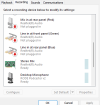
Just use the audio monitoring feature in OBS. You can send the audio output to a sound output with a stereo mix recording device in control panel.
I select this as the monitoring device in OBS.
1784297087309.png

And this as the microphone input in whatever software I want to hear my webcam.
1784297049545.png


I then plug my speakers/headphone into my monitor which I set as the default audio device.
1784297164971.png


I set "stereo mix" audio source as a microphone with other the software I want to hear the webcam.

Then I use my onboard sound card as the monitoring device for OBS.

1784297304395.png


I then go do advanced audio properties in my scene in OBS and set the mic and the desktop audio capture. Note I don't used the standard automatic "desktop" audio source, I add my own.
1784297771671.png


Audio input capture: my mic.
Audio Output capture: my desktop audio.
Does that make sense? I am not sure I am being very clear, here! Also: it has been a while. If anyone spots any error, let me know!
 

Attachments

  • 1784297007397.png
    1784297007397.png
    31 KB · Views: 5
  • 1784297578619.png
    1784297578619.png
    99.7 KB · Views: 5
Back
Top